Stickman Blaster 2 Action Game

Reviews
Stickman Blaster 2 is a fun action game with simple controls and rewarding upgrades. You guide a stickman hero through levels, defeat monsters, and collect resources to improve tools and abilities. The game offers many levels and a leveling system up to 9999. It is family-friendly and engaging for players who enjoy action and progression.
Description
Game Introduction
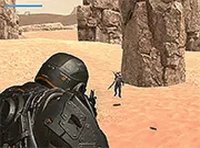
Stickman Blaster 2 is an action game where you become a stickman hero. After a previous adventure, your cat companion wakes you for a new mission. You must defeat green goblin-like creatures, three-headed dogs, and two-footed bull enemies. Travel through challenging areas to save your cat friend from a powerful red monster ruler. Earn resources by collecting items between levels. Use your earnings to buy new tools, upgrades, and equipment. Develop your stickman in the gym and level him up from 1 to 9999. Transform into a powerful stickman and master the controls: W to jump, A and D to move, spacebar to jump, mouse to fire, R to reload, Q to swap tools, and 1, 2, 3 for abilities. Enter portals to face waves of monsters. Shoot, survive, and advance through levels with increasing difficulty. Defeat the final boss to save your friend and complete your journey.
How to Play
In Stickman Blaster 2, use W to jump, A and D to move left and right. Press the spacebar to jump. Fire your blaster by clicking the mouse. Reload with R and swap tools with Q. Use special abilities with keys 1, 2, and 3. Enter portals to start each level. Defeat all monsters in each wave to earn rewards. Jump around to avoid enemy hits. If your health runs out, you must restart the level. Upgrade your tools and equipment between levels using earned resources. Level up your stickman in the gym to increase strength. As you progress, waves become larger with more monsters. Stay ahead by constantly upgrading. In the final level, defeat the big boss to save your cat friend and complete your mission.
Game Features
Exciting stickman blaster action with upgradeable tools and abilities. Collect resources between levels to buy upgrades. Level up your stickman from 1 to 9999. Face waves of monsters with increasing difficulty. Master controls for movement, blasting, and special abilities.
Tips for Success
Practice your movement and jumping to avoid enemy attacks. Always collect resources after each level to fund upgrades. Prioritize upgrading your blaster and health early on. Use your special abilities wisely, especially when facing large waves. Save some resources for later levels where enemies are tougher. Stay mobile and keep firing to survive longer.
Compatibility
Faq
Is Stickman Blaster 2 available on mobile devices?
Yes, based on the game tags, Stickman Blaster 2 is designed for mobile and tablet devices. This means you can enjoy the action on smartphones and tablets, though it may also be available on other platforms.
What kind of enemies will I face in the game?
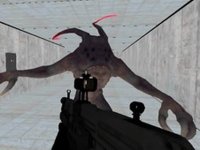
You will encounter various monsters such as green goblin-like creatures, three-headed dogs, and two-footed bull enemies. The game also features a powerful red monster ruler as the final boss. Each enemy type requires different strategies to defeat.
Can I play Stickman Blaster 2 without an internet connection?
The game description does not specify online requirements. Many action games of this type can be played offline, but you may need an internet connection for updates or certain features. Check the app store listing for details.
Are there in-app purchases in Stickman Blaster 2?
The provided information does not mention in-app purchases. However, many mobile action games offer optional purchases for upgrades or resources. It's best to review the app store page for specific monetization details.
How long does it take to complete the game?
The game includes many levels with increasing difficulty, and you can level up your stickman from 1 to 9999. The total playtime depends on your skill and how much you upgrade. Some players may finish quickly, while others take longer to master the game.
Does the game support controller input?
The controls described are keyboard and mouse (W, A, D, spacebar, mouse, R, Q, 1, 2, 3). There is no mention of controller support. On mobile, touch controls are typically used. Check the game's settings for available input options.