Character Maker Imagination Studio
Review
Character Maker Imagination Studio is a delightful online tool for anyone who enjoys creative play. The interface is intuitive, making it easy for kids and adults to start designing immediately. The variety of parts and accessories allows for endless combinations, ensuring each character feels unique. The ability to save and share creations adds a nice social element. It is a safe, ad-free experience that runs smoothly in a browser without any downloads. Perfect for a quick creative break or a longer session of imaginative fun.
About
Game Introduction
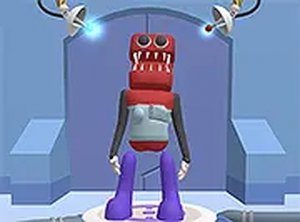
Character Maker Imagination Studio is an online activity that invites players to construct their own original characters using a simple, intuitive interface. The core idea revolves around selecting a base face from a set of popular styles and then adding various features to personalize the look. Players can choose from different eyes, mouths, horns, and other accessories to create combinations that are funny, cute, or whimsical. This process encourages experimentation and self-expression, allowing each creation to be distinct. Designed with families and children in mind, the game runs directly in a web browser without any installation, making it accessible on most desktop computers. The focus is on imagination and creativity, providing a space where users can explore countless possibilities with every new character they design.
How to Play
Players interact with the game using a mouse to select character parts from a menu displayed on the screen. The typical workflow begins by choosing a base face from the available options. After that, users can add eyes, noses, mouths, hats, and other accessories to customize their creation. Each part can be clicked to see how it looks on the character, and it can be swapped out at any time. The interface is designed to be straightforward, with clear icons and a drag-and-drop style that suits all ages. Once satisfied with the design, players can save their character or share it with friends. The game is best experienced on a desktop computer with a keyboard and mouse, and it can be played in full screen mode for a more focused session.
Game Features
This game offers extensive character customization with a variety of parts to choose from. It provides family-friendly content that is suitable for players of all ages. The controls are simple click-and-play, making it easy for anyone to start designing. The game may include multiple base characters and many accessory options, allowing for countless combinations. Since it runs in a browser, there is no need to install any software. Players can also save and share their creations, adding a social aspect to the experience.
Tips for Success
To get the most out of Character Maker Imagination Studio, take your time exploring all available parts and combinations. Experiment with different styles—sometimes the most unexpected mixes create the cutest or funniest characters. If you are unsure where to start, begin with a base character you like and gradually add accessories. Sharing your creations with friends can also inspire new ideas. Most importantly, have fun and let your imagination guide you.









Comments
Sign in to leave a note
You must be logged in before posting a review or rating.
No account? Create one
No comments yet. Be the first to comment!