Creature Creator DIY Creative Game
Reviews
Creature Creator DIY is a delightful online game that encourages creativity in a safe, family-friendly environment. The drag-and-drop interface is intuitive, and the variety of parts ensures each creation is unique. Perfect for children and adults alike, it provides hours of engaging play without any violent or inappropriate content.
Description
Game Introduction
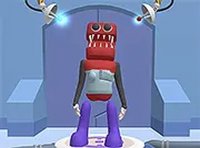
Creature Creator DIY is a fun and creative online game where you can design your very own friendly creature from scratch. Using the Choose Your Creature Face feature, you can pick from a variety of popular characters like Grimacee, Poppi Playtime, and Skibidii. Each creature comes with unique parts, such as eyes, mouths, horns, and accessories, allowing you to mix and match to build a creature that reflects your personal style. Whether you want a funny, cute, or silly creature, the possibilities are endless. The game is designed to be simple and enjoyable, making it perfect for kids and families who love creative play. Best of all, it runs directly in your browser with no downloads needed, so you can start crafting your masterpiece right away.
How to Play
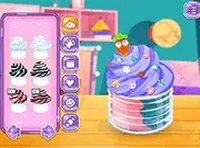
To play Creature Creator DIY, simply use your mouse to select different creature parts from the menu on the screen. Start by choosing a base face from the available characters, then add eyes, noses, mouths, hats, and other accessories to customize your creation. You can click on each part to see how it looks on your creature and swap it out anytime. The game is easy to navigate, with clear icons and a drag-and-drop interface that makes it fun for all ages. Once you are happy with your creature, you can save your design or share it with friends. The game works best on desktop computers with a keyboard and mouse, and you can play it in full screen mode for a more immersive experience.
Game Features
Creative creature customization, family-friendly content, and easy click-and-play controls.
Tips for Success
To get the most out of Creature Creator DIY, take your time exploring all the available parts and combinations. Don't be afraid to experiment with different styles—sometimes the most unexpected mixes create the cutest or funniest creatures. If you're unsure where to start, begin with a base character you like and gradually add accessories. Sharing your creations with friends can also inspire new ideas. Most importantly, have fun and let your imagination guide you.
Compatibility
Faq
Is Creature Creator DIY free to play?
Yes, the game is free to play directly in your browser. There are no downloads or purchases required to start creating your own creatures.
Can I play Creature Creator DIY on a mobile device?
The game is designed for desktop computers with a keyboard and mouse. While it may work on some tablets, the experience is optimized for larger screens and mouse-based controls.
How do I save or share my creature design?
Once you finish customizing your creature, you can save it to your device or share it with friends using the in-game options. Look for the save or share buttons in the game interface.
Are there any age restrictions for playing?
The game is family-friendly and suitable for all ages. Its simple controls and creative focus make it especially enjoyable for kids and families.
Do I need to create an account to play?
No account is required. You can start playing immediately in your browser without any registration or login process.
Can I play in full screen mode?
Yes, the game supports full screen mode for a more immersive experience. Look for the full screen option in the game settings or controls.